
Overview
Changing your Timeline Online account email has different outcomes depending on your account role and setup. This guide covers what to expect and how to restore access in each scenario.
A) Workspace Admin Email Changes
B) Licensed Accounts
C) Microsoft-linked Accounts
D) Google-linked Accounts
This guide explains the impact of changing your email for each scenario and the steps to restore full access. Jump to the section that applies to you using the links above.
A) Workspace Admin Email Changes
Workspace Admins can only change their account email address one time. This is a hard restriction in the Account Center and is in place to prevent unauthorized subscription transfers across organizations. If a Workspace Admin needs to update their email after that one-time change, contact support.
B) Licensed Accounts
If you have an active license, changing your email will release your seat as a security measure and your account will revert to the Free plan. You will retain access to existing timelines but lose premium editing capabilities.
To restore your access:
- Log in with your new email address.
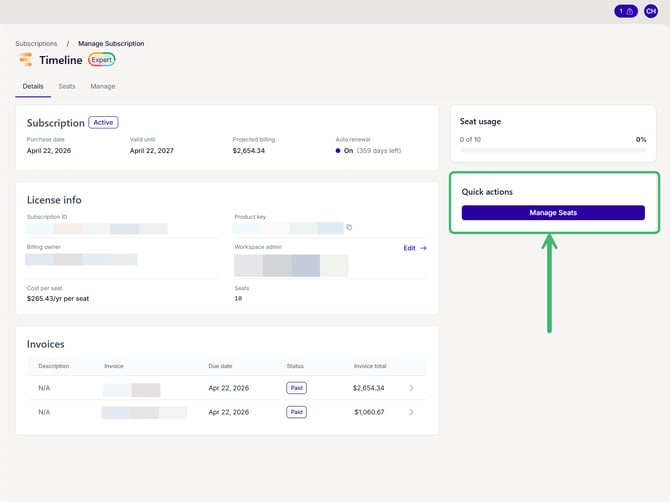
- In the Account Center, go to Admin > Subscriptions and select your subscription.
- On the Seats tab, reassign your new email address to a seat.
If you are not the Workspace Admin, the Workspace Admin for your subscription must reassign your new email address to a seat on your behalf.
C) Microsoft-linked Accounts
If your account is linked to Microsoft, your old Microsoft credentials will stop working after an email change because the connection relies on your original email address.
To restore access:
- Set up a password for standalone login.
- Sign in with your new email and password.
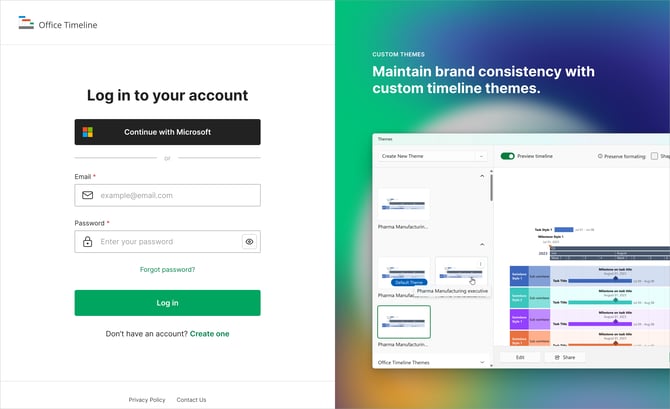
- Select Continue with Microsoft and connect the Microsoft account associated with your new email.
D) Google-linked Accounts
If your account is linked to Google, your old Google credentials will stop working after an email change for the same reason.
To restore access:
- Set up a password for standalone login.
- Sign in with your new email and password.
- Select Continue with Google and connect the Google account associated with your new email.